SharePoint REST API Explorer got a huge update and a completely new look
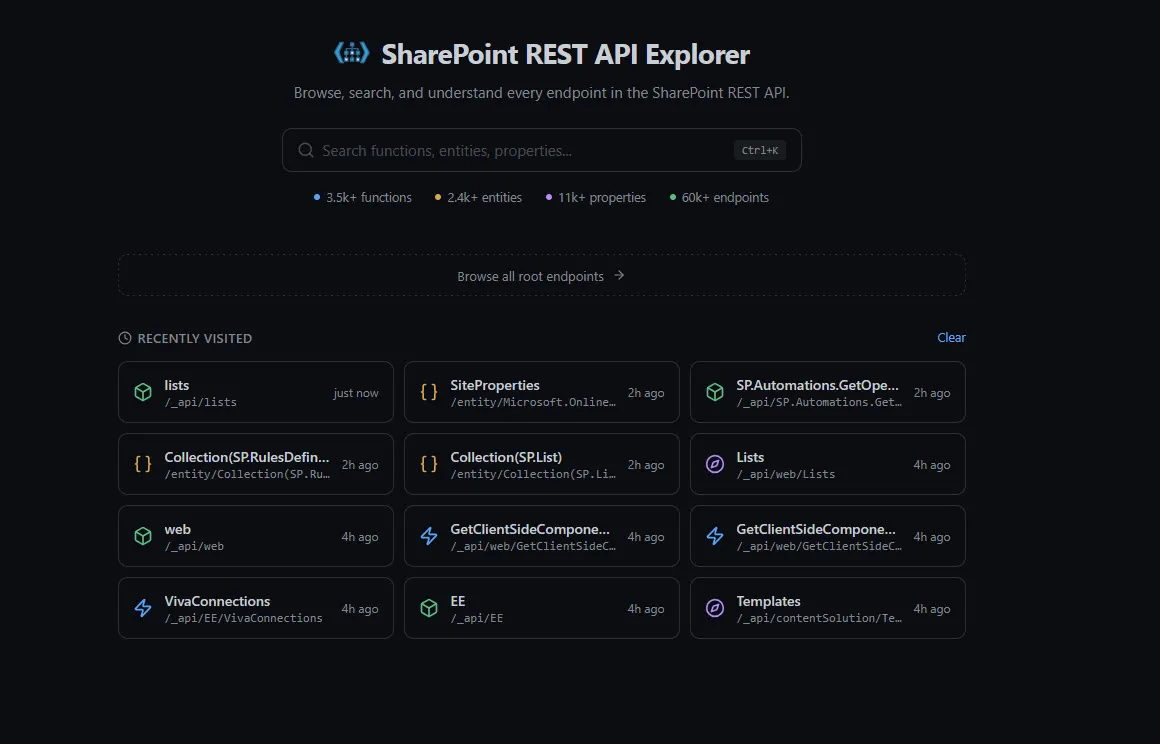
If you’ve been following this blog, you might know that I created the SharePoint REST API Explorer — a tool that parses SharePoint REST API metadata into a searchable, browsable interface. The tool has been around for a while, but it recently received a complete redesign from the ground up. New UI, new features, new everything.
Explore API — hierarchical endpoint navigation
The Explore API section is the main workhorse. It shows all root endpoints in a filterable sidebar, organized by namespace — CORE, MICROSOFT.SHAREPOINT.*, SP.*, and so on.
Click on any root endpoint, say web, and the sidebar updates to show all its sub-endpoints — navigation properties like Lists, Fields, CurrentUser, and functions like GetFileByServerRelativeUrl, EnsureUser, GetChanges.
Each endpoint page shows:
- Breadcrumb navigation — a clickable path like
_api / web / GetFileByServerRelativeUrl(...)so you always know where you are in the API tree. There’s also a handy Copy API path button next to the breadcrumb - Parameters — function parameters with their types (e.g.
serverRelativeUrl: Edm.String) - Return type — with a clickable link to the entity definition (e.g.
SP.File)
You can keep drilling down through the hierarchy. Click SP.File and you’ll navigate to the entity page. Click a sub-endpoint like Versions and you go deeper into the API tree.
Explore Types — entity definitions with cross-references
The Explore Types section gives you access to all complex types defined in the metadata. Select a type like SP.Web and you’ll see:
- Full name and base type (e.g.
SP.SecurableObject) - Cross-references — where this type appears as a navigation property in other entities. For
SP.Web, that includesAppContextSite.Web,File.Web,List.ParentWeb,RequestContext.Web,Site.RootWeb, andWeb.Webs - Three tabs: Properties, Navigation Properties, and Methods
- Each property listed with its type and nullable status
- A filter within the properties list to quickly find what you need
The cross-reference feature is especially useful. If you know a type but aren’t sure how to reach it through the API, the “Referenced as navigation property in” section shows you every possible path.
API Changelog — track what Microsoft changes every month
The API Changelog is something I’ve been publishing on this blog, now it’s built right into the explorer. It shows all additions, updates, and removals to the REST API, broken down by:
- Root Functions — new or changed function endpoints
- Entities — new or modified entity types
You can filter by time period — Current month, Last 3 months, or Last 6 months. Changes are color-coded: green for Added, yellow for Updated, red for Removed. Each entry is clickable, so you can jump directly to the new or changed endpoint.
This is the data from a Targeted Release (formerly First Release) tenant, so some changes may be in preview and not yet available in your production environment.
Global search — command palette for the entire API
Press Ctrl+K (or click the search bar in the header) and a command palette opens up. It searches across both entities and API endpoints simultaneously and groups results accordingly.
Results show the full API path for endpoints and the full type name for entities, so you can quickly distinguish between, say, a GetFileById on _api/web vs _api/site/RootWeb. The search supports path-based filtering too — use / or spaces to narrow down by API path segments.
Other improvements
A few more things worth mentioning:
- Dark / Light mode — toggle in the top-right corner. The dark theme is the default and looks really clean
- Recently Visited — the homepage remembers which endpoints you’ve browsed and shows them as cards with timestamps. Great for picking up where you left off
Wrapping up
The new version of the SharePoint REST API Explorer is a significant step up from the previous one. If you work with the SharePoint REST API on a regular basis — whether you’re building SPFx solutions, Power Automate flows, or server-side integrations — this tool should be in your bookmarks.
Check it out at https://s-kainet.github.io/sp-rest-explorer/.