
If you develop multi-lingual SharePoint Framework solutions, you know that you should keep your localization files in sync. You have a "master" file, which defines your localization resources structure, by default it's called "mystrings.d.ts" where you define all different keys. In the corresponding {locale}.js file you implement actual translations. In some cases, when you have a lot of labels after the refactoring you might lose the synchronization between your "mystrings.d.ts" and JS resource files. That leads to empty labels and UI problems in your web parts. SPFx doesn't provide a mechanism to check it.
Now you can use SPFx Check Locale VSCode add-in and a Nodejs module to perform such checks.
VSCode
You can install the addin from here or just search in VScode for "SPFx Check Locale".
The below video describes the core features of the addin:
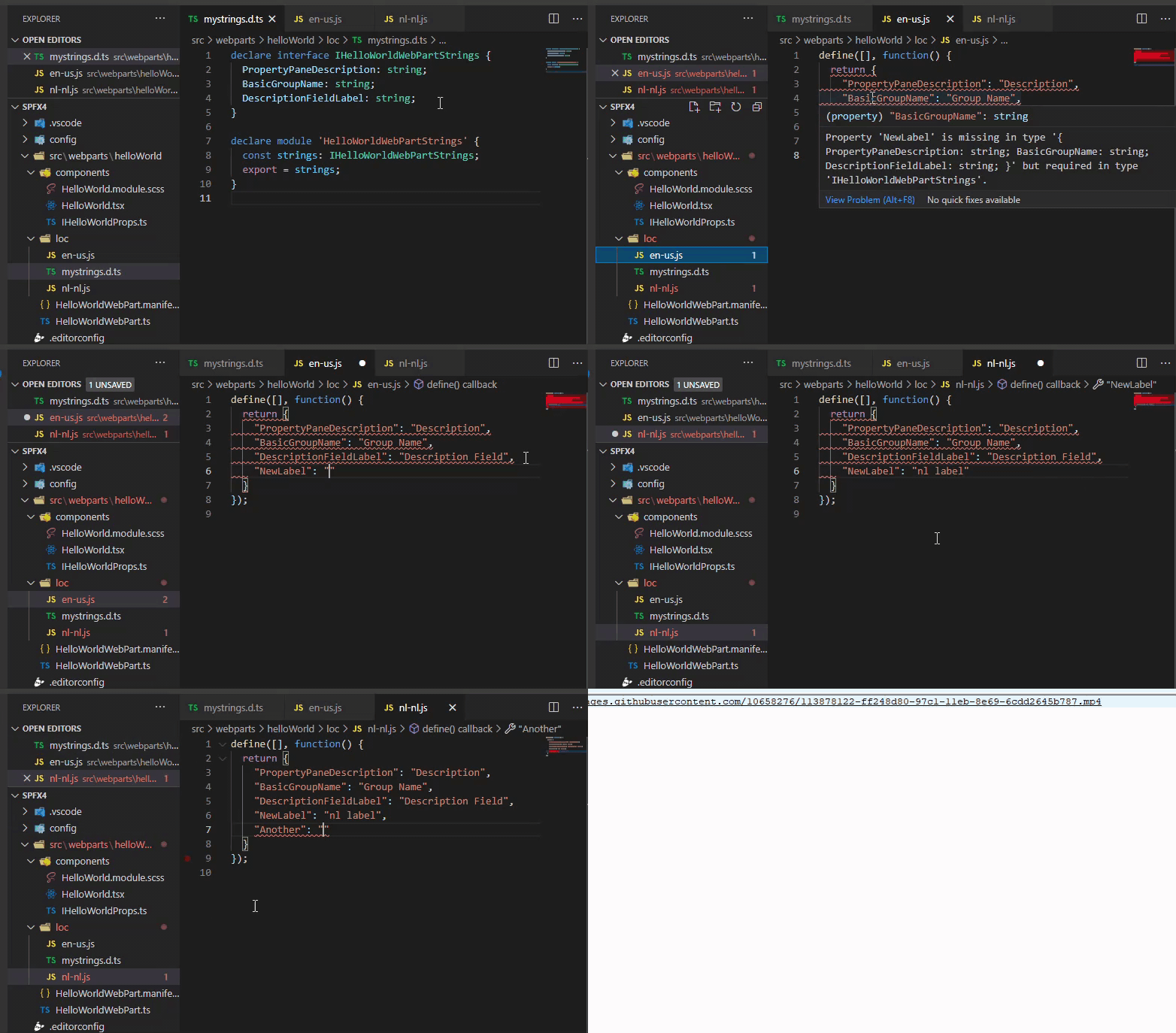
If you have and differences between your maser "mystrings.d.ts" and {locale}.js resource, the error will be immediately reported (including line and message). Using the addin you now have a clear visual indication that something is wrong with your localization files.
Nodejs
You can also integrate SPFx check-locale as an additional quality check into your build pipeline since it's also available as a nodejs module.
Install "spfx-check-locale" module and just add the below code to your gulpfile.js:
const checkLocales = require('spfx-check-locale').checkForErrors;

const argv = build.rig.getYargs().argv;
if (argv.production) {
  const check = build.subTask('check-locales', function (gulp, buildOptions, done) {
    checkLocales({
      projectPath: __dirname,
      printErrors: true
    })
      .then(result => {
        if (result.diagnosticData.length === 0) {
          done();
        } else {
          done('Found errors in localization files');
        }
      }).catch(done);
  });

  build.rig.addPostBuildTask(build.task('check-locales', check));
}
That way before publishing to production you always sure that your resources are good, otherwise your build will fail. The above code performs locale checks only on production builds (argv.production, which is true for gulp bundle --ship). You can also do it on a normal gulp serve, however, it will slow down your build for additional 2-4 seconds. With VSCode add-in it doesn't make a lot of sense to have it in serve command.
"spfx-check-locale" integrates smoothly with your CI\CD process as well.
How it works
Every SharePoint Framework project contains a config.json file, which lists localizedResources - a collection of project resources. spfx-check-locale module opens every folder with resources and extracts interface name from "mystrings.d.ts" (using TypeScript AST). Then it creates a virtual TypeScript project in memory adding all files inside the resources folder. {locale}.js are renamed to {locale}.ts. For every {locale}.ts it also adds a return value for a function to be equal to the interface name from "mystrings.d.ts".
For example, a en-us.ts will look like below:
define([], function(): IHelloWorldWebPartStrings {
  return {
    "PropertyPaneDescription": "Description",
    "BasicGroupName": "Group Name",
    "DescriptionFieldLabel": "Description Field"
  }
});
Next, the module runs TS compilation in memory and VSCode add-in simply maps TS errors to the corresponding lines inside IDE. That way we can see all problems in a real time.
Title image credits - People vector created by pch.vector - www.freepik.com